Load Balancers
Distribute incoming traffic across multiple instances with managed load balancers.
Overview
Load balancers spread network traffic across backend servers to improve availability and fault tolerance. They support HTTP, HTTPS, TCP, and UDP protocols with Round Robin, Least Connections, or Source IP algorithms.
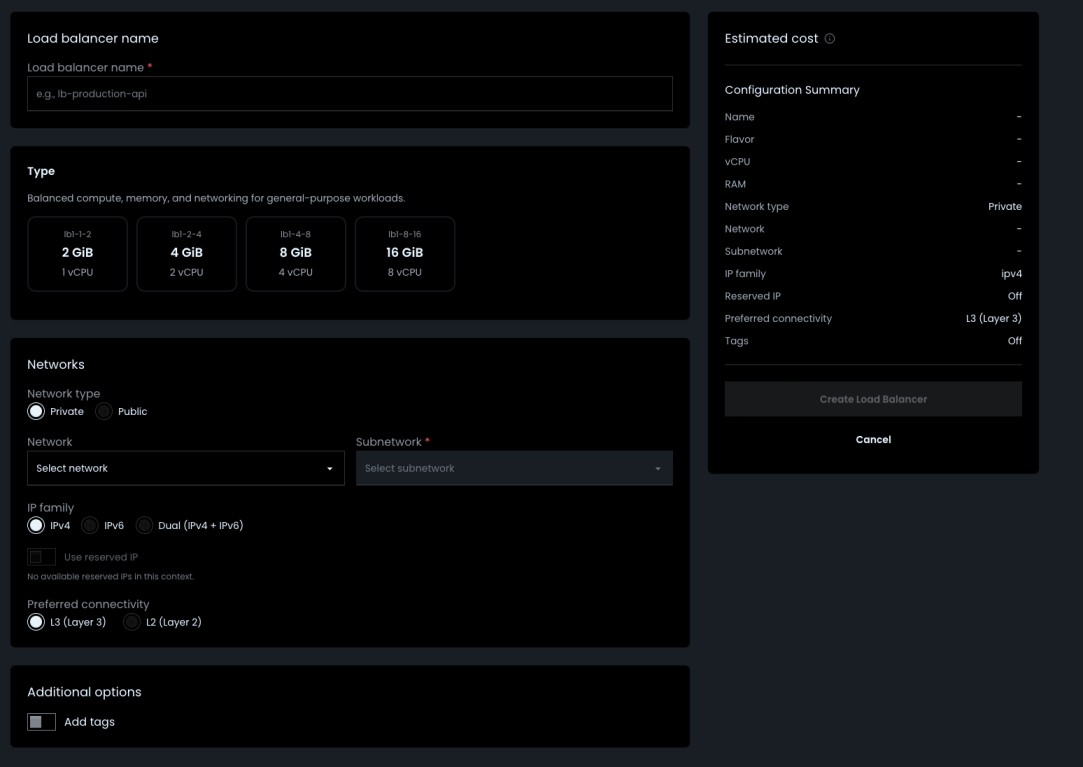
Step 1: Create a Load Balancer
- Navigate to Enterprise > Networking > Load Balancers
- Click Create Load Balancer
- Configure:
| Setting | Description |
|---|---|
| Name | e.g., lb-production-api |
| Flavor | Compute size (vCPU, RAM) for the load balancer |
| Network type | Private (select network + subnet) or Public |
| IP family | IPv4, IPv6, or Dual |
| Preferred connectivity | L3 (default) or L2 |
| Reserved IP | Optional — assign a static VIP |
| Tags | Optional — key-value metadata |
- Review the estimated cost in the sidebar and click Create Load Balancer
Step 2: Manage Load Balancers
From the load balancer list, use the three-dot menu to:
- Overview — View general info, statistics (connections, bytes, errors), and resize the flavor
- Rename — Update the load balancer name
- Delete — Remove the load balancer
To resize, open Overview > Change Configuration, select a new flavor, and click Save.
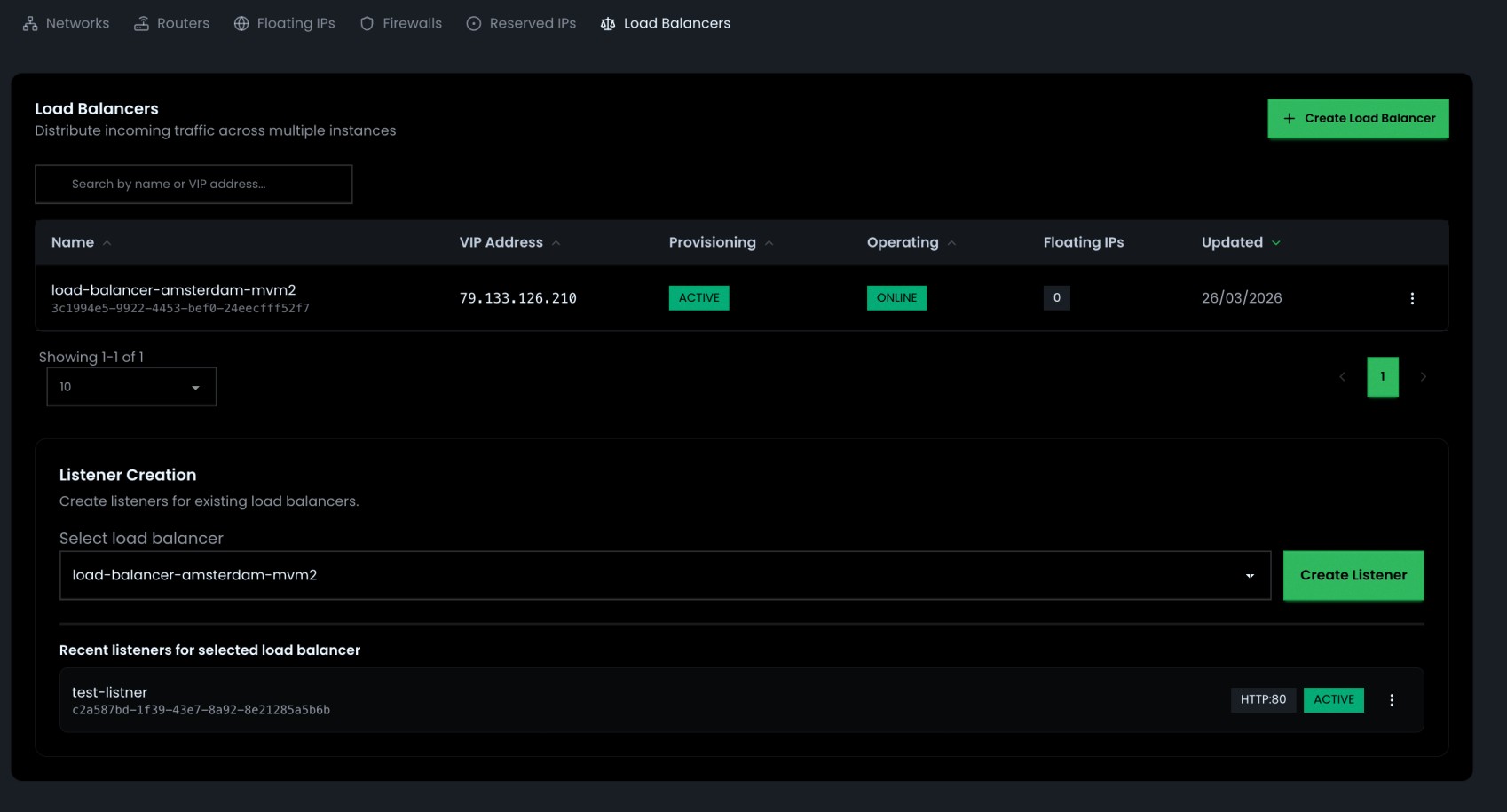
Step 3: Create a Listener
Listeners define how the load balancer receives traffic.
- Select a load balancer in the Listener Creation section
- Click Create Listener
- Configure:
| Setting | Description |
|---|---|
| Name | e.g., http-web |
| Protocol | HTTP, HTTPS, TCP, or UDP |
| Port | 1–65535 |
| Connection limit | Max connections (-1 for unlimited) |
| Allowed CIDRs | IP allowlist (optional) |
| X-Forwarded headers | HTTP only — adds forwarding headers |
| TLS certificate | TERMINATED_HTTPS only |
| User list | HTTP only — basic auth users |
Use the three-dot menu on a listener to Edit, Delete, or Add pool.
Step 4: Add a Pool
A pool defines the backend servers that receive traffic from a listener.
- Click the three-dot menu on a listener and select Add pool
- Configure:
| Setting | Description |
|---|---|
| Pool name | e.g., backend-pool |
| Algorithm | Round Robin, Least Connection, or Source IP |
| Protocol | HTTP, HTTPS, TCP, UDP, PROXY, or PROXYV2 |
- Add members (Instance, Baremetal, or Custom IP) with port and weight
- Optionally enable Health check (HTTP, HTTPS, PING, TCP, or TLS-HELLO) with interval and threshold settings
- Click Save
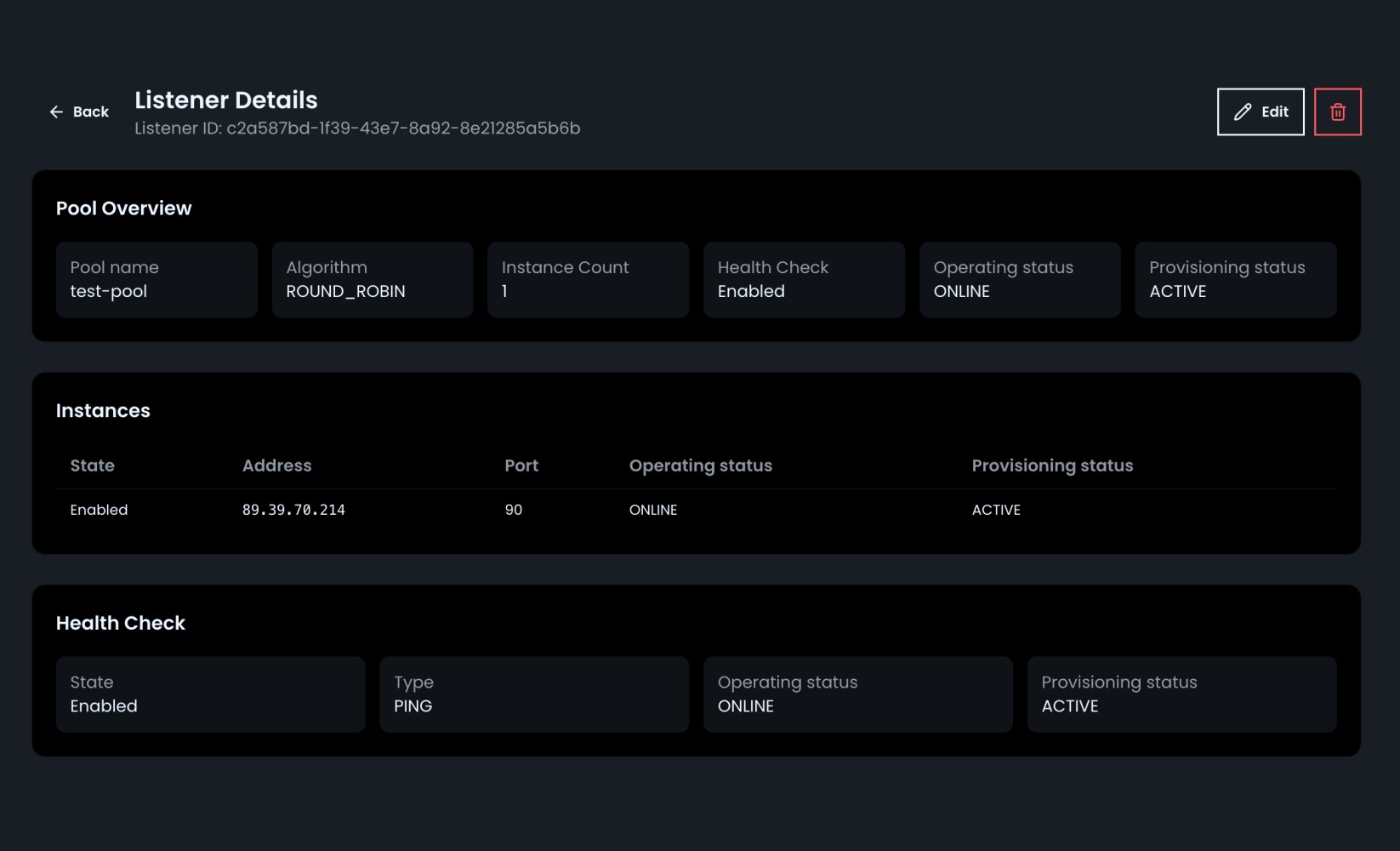
Click a listener card to view Listener Details — pool overview, member table, and health check status. Use Edit or Delete from there to manage the pool.
Troubleshooting
| Problem | Solution |
|---|---|
| Stuck in PENDING_CREATE | Check Tasks page and quota limits |
| 502 Bad Gateway | Verify backend health and health check config |
| No traffic reaching backends | Check listener protocol, port, and allowed CIDRs |
| Pool member OFFLINE | Ensure member is running and health endpoint reachable |
| Cannot resize | Select a different flavor than the current one |
this is the docs add it and add the route in the sidebars.ts I have added the image